
A better computer,
without starting over.
For retirees who want their computer replacement taken care of, with help to keep doing the everyday things they know.
Peter visits to understand how you use your computer, prepares a suitable refurbished replacement, then returns to install it, transfer your files and help you feel comfortable. Your Personal Changeover Plan keeps the work focused on what matters to you, with 30 days of settling-in assistance after handover.
Buying a computer is not the same as changing computers.
Changing computers involves more than choosing new equipment. SureShift personally plans and manages the move around the everyday things you want to keep doing.
Buying and arranging separately
- You compare numerous models
- The computer arrives in a box
- You arrange the transfer separately
- You reconnect email, applications and equipment
- You deal with the old computer and any warranty claim
The SureShift changeover
- Peter plans the replacement with you in your home
- It is prepared around your Personal Changeover Plan
- Up to 500GB of accessible information is transferred
- Email, compatible applications and one printer are tested
- Peter handles the old computer and coordinates the warranty
What is a computer changeover for retirees?
Your emails, photographs and everyday tasks—set up to feel as familiar as possible, with Peter there to help.
At the first visit, Peter records your important activities, files and preferences in your Personal Changeover Plan. This guides the preparation and second visit, when Peter helps you practise the everyday tasks that matter to you. Known differences and compatibility limits are explained before proceeding.
You have one person responsible for the complete result.
Two personal visits. One complete changeover.
Understand
At your first home visit, Peter checks your current setup and records your everyday activities, preferences and known compatibility limits.
Select
He recommends a suitable Grade A business computer, taking your preferences into account.
Prepare
Peter prepares Windows, updates and agreed applications around your Personal Changeover Plan before returning.
Transfer
Your accessible files, photos, email and familiar essentials are moved and checked.
Settle in
At the second visit, Peter installs and tests the replacement. He helps you practise the everyday tasks that matter to you and leaves personal reference notes.
Retire securely
Your old drive is professionally erased only after you approve the transfer.
The computer is included. What you are choosing is the complete changeover.
One suitable computer. Two personal visits. One accountable person.
- Suitable Grade A refurbished business laptop, desktop or compact computer with Windows 11
- Minimum 16GB memory and 512GB solid-state storage
- Up to 500GB of accessible files and photos transferred
- Existing email accounts configured and tested
- Bookmarks, address books and saved passwords transferred where technically possible
- Compatible applications reinstalled where licences and installation files are available
- One existing printer reconnected and tested
- Windows updates completed before delivery
- Personal planning visit and written Personal Changeover Plan
- Travel for both planned visits within approximately 25 km of North Ryde
- Off-site preparation, followed by installation, testing and personal handover at your second visit
- Personal reference notes and a scheduled telephone check-in
- Professional old-drive erasure with a certificate of erasure
- 24-month hardware warranty coordinated by SureShift
- 30 days of settling-in assistance for the included changeover
Existing suitable monitor, keyboard and mouse equipment will normally be reused with a desktop or compact computer. Peter confirms that your requirements fit the standard changeover before you book.
SureShift Complete
SureShift is operated by Peter Baker under the same ABN as Resolu. Invoices, receipts and payments are administered through Resolu.Ask Peter to call me
The standard changeover covers one customer, one old computer and up to 500GB of accessible information. Larger transfers, damaged-drive recovery and specialist requirements are assessed separately and explained before you proceed.
More useful life from quality equipment.
A professionally refurbished business computer is selected for your everyday needs. Choosing a refurbished computer extends its useful life and helps reduce electronic waste. Where practical, we also reuse your monitor, keyboard and mouse.
Peter explains the equipment and its condition before you proceed. Your replacement includes a 24-month hardware warranty coordinated through Peter.
Personally handled by Peter Baker.
Peter visits to understand your routines, prepares your replacement, returns to install it and remains your point of contact while you settle in.
Built on 26 years of hands-on technology experience helping people solve real-world computer problems without unnecessary jargon.
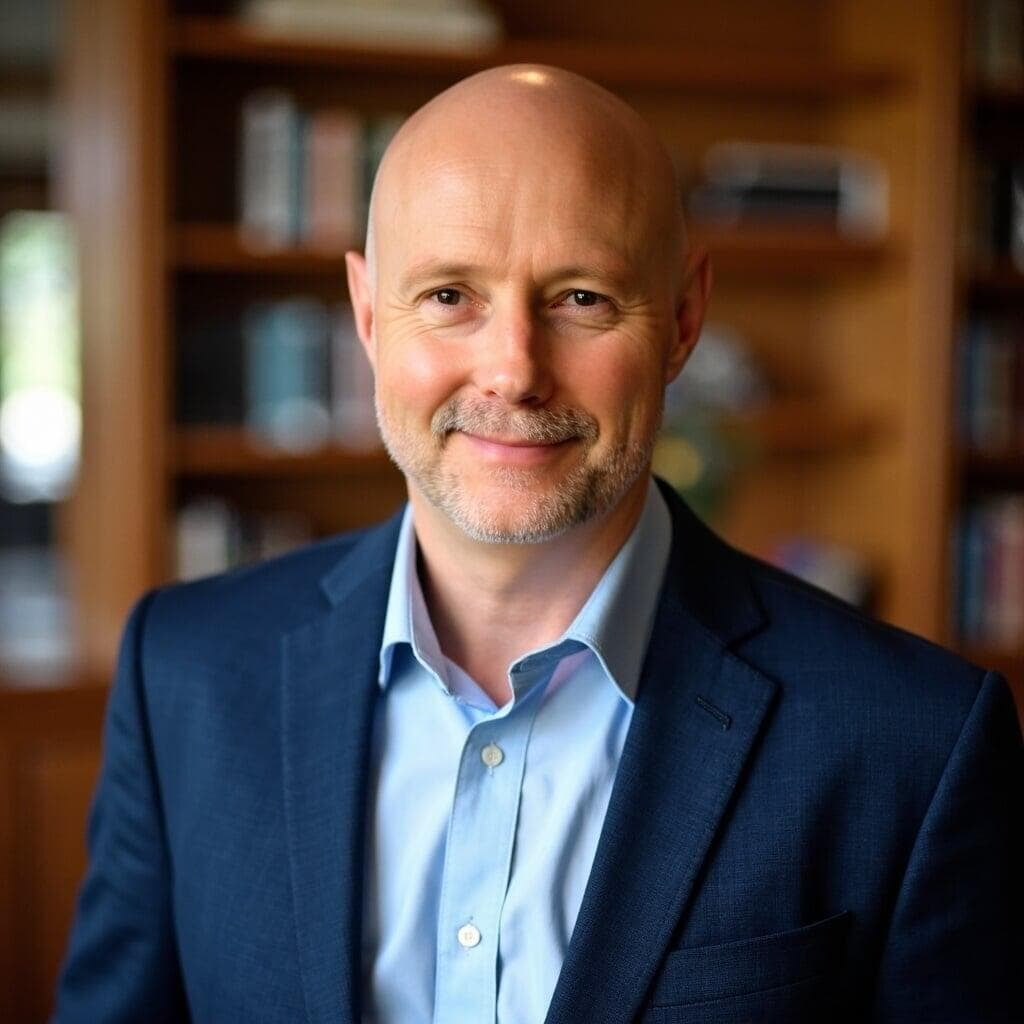
Help does not stop on handover day.
A scheduled telephone check-in helps you settle in after handover. For 30 days, Peter also remains available to help with the included changeover by telephone, remote assistance or a return visit, according to what is needed.
New equipment, unrelated faults and services outside the original changeover are handled separately.
Your information and old computer are handled carefully.
Your old computer remains in your home. When temporary storage is required, your information is held on a VeraCrypt-encrypted SSD kept under Peter's control for up to 30 days after handover. It is used only to complete your changeover and is not a permanent backup. You may ask Peter to erase it sooner.
Nothing is erased until you approve the completed transfer. If you no longer want the old computer, Peter uses professional erasure software, verifies the result and gives you a certificate of erasure before responsible recycling. You may keep it if you prefer.
You are not paying only for a computer.
You are choosing one person to take responsibility for the complete changeover.
| Buying and arranging separately | SureShift Complete |
|---|---|
| Choose and order the computer yourself | Peter selects a suitable computer with you |
| Receive an unprepared computer | Windows, updates and agreed applications prepared first |
| Arrange migration and setup separately | Files, email, familiar essentials and one printer handled together |
| Coordinate different suppliers | One person responsible from selection to handover |
| Work out how to erase or dispose of the old computer | Professional erasure, certificate and responsible recycling included |
| Manage a supplier warranty claim yourself | Peter coordinates the eligible hardware warranty process |
| Arrange further help if something was missed | 30 days of settling-in assistance included |
Clear answers, without the jargon.
Why does a SureShift changeover cost $3,300?
The price covers both your refurbished computer and a personally managed changeover. Peter plans the replacement with you, prepares it off site, then returns to handle the transfer, setup and personal handover. The package also includes old-drive erasure, warranty coordination, a scheduled telephone check-in and 30 days of settling-in assistance. The full inclusions are listed above.
What happens to my deposit if I change my mind?
If you cancel before the replacement computer is ordered or reserved and before preparation has begun, your deposit will be refunded in full. After that point, SureShift may deduct the reasonable cost of work already completed and any non-recoverable third-party costs, then refund the balance. Peter will explain how any deduction has been calculated.
What is included in a standard changeover?
A standard changeover covers one customer, one old computer, one SureShift-supplied replacement computer, up to 500GB of accessible information, existing email accounts, compatible applications, one existing printer, two planned home visits within approximately 25 km of North Ryde, personal planning, preparation, installation, personal handover, certified erasure, a scheduled check-in and 30 days of settling-in help. Peter confirms suitability before you pay the deposit.
Is the replacement computer new?
SureShift normally supplies a Grade A refurbished business computer. It has been previously used, professionally refurbished and fully tested. Grade A devices are fully functional and in great cosmetic condition, although minor signs of previous use may be visible. Every computer includes a fresh, licensed Windows installation. Grade A laptops have at least 80% battery health at the time of grading.
Can I choose a laptop, desktop or compact computer?
Yes. Tell Peter where and how you use your computer and share your preference. He will explain the most suitable option and select one within the standard package. Existing suitable screen, keyboard and mouse equipment will normally be reused with a desktop or compact computer. SureShift currently specialises in Windows 11 computers. A webcam is normally built into a supplied laptop; a desktop webcam is not included unless agreed separately.
Will everything look and work exactly as it did before?
Peter aims to make the replacement feel as familiar as reasonably possible. Files, photos, email, bookmarks, address books, saved passwords and compatible applications are transferred where technically possible. Some older programs, settings, passwords or equipment may not work with Windows 11. Peter identifies important items beforehand and explains known differences.
How is my personal information protected?
Your old computer remains in your home. When a temporary transfer copy is needed, it is held on a VeraCrypt-encrypted SSD kept under Peter's control. The temporary copy may be retained for up to 30 days after handover so anything reasonably missed can be addressed, and is then securely erased. It is used only for the changeover and is not a permanent backup; you may ask Peter to erase it sooner. Peter may need you present for passwords or security confirmations, but SureShift does not record or retain your passwords.
What happens to my old computer?
Nothing is erased until you confirm the agreed information is available on the replacement. If you no longer want the old computer, Peter uses professional KillDisk erasure software, verifies the result and gives you a certificate of erasure before responsibly recycling it. You may keep the old computer if you prefer. An appropriate verified method is used for the type and condition of the drive.
What happens if the replacement computer has a warranty problem?
Your supplied computer includes a 24-month return-to-base hardware warranty. Contact Peter first: SureShift collects the computer, coordinates the claim with the refurbisher and manages ordinary freight and return. The warranty does not cover batteries, software problems, accidental or physical damage, misuse, personal data or data recovery. Restoring information requires a suitable backup. Your rights under the Australian Consumer Law are not limited by the warranty.
What if my old computer no longer starts?
Peter assesses whether your information remains accessible. Specialist recovery from a damaged or failed drive is outside the standard changeover, and any available options and additional cost are explained before you proceed.
How long does the changeover take?
The first visit is for personal planning and generally takes 60–90 minutes. Peter confirms the preparation and installation schedule with you. The second visit generally takes around four hours for transfer, installation, testing and personal guidance; timing depends on the agreed work and accessible data.
What if I have more than 500GB of information?
A larger transfer may require a higher-capacity replacement drive and additional preparation time. Peter assesses this and confirms the additional cost before you proceed.
What help do I receive after handover?
A scheduled telephone check-in is included. For 30 days, Peter remains available to help with anything included in the original changeover. Assistance may be provided by telephone, remote support or a return visit depending on what is needed. New devices, unrelated faults and services outside the agreed changeover are handled separately.
What are the package price and payment terms?
SureShift Complete is $3,300 including GST. A 20% deposit of $660 begins selection and preparation, with the remaining $2,640 payable after your personal home handover, before Peter leaves.
The package includes two planned home visits, a written Personal Changeover Plan, off-site preparation, personal reference notes and a scheduled telephone check-in, alongside the other inclusions listed above.
Peter confirms your price, scope and payment arrangements in writing before you proceed. Your booking is covered by the Terms and your accepted written service confirmation.
Why will my invoice come from Resolu?
SureShift and Resolu are registered business names operated by Peter Baker under the same ABN. Peter personally provides your SureShift changeover, while invoices, receipts and payments are administered through Resolu.
Arrange it together. Peter handles the change.
You can help arrange your parent's replacement while their preferences guide the setup. With their agreement, Peter keeps you informed and personally helps them settle in at home.
Talk to Peter about a parent’s computerNorth Ryde and surrounding Sydney suburbs.
SureShift specialises in computer replacement for retirees within approximately 25 km of North Ryde. Call with your suburb and Peter will confirm availability.
Check your suburbYour new computer can feel familiar from day one.
Call Peter or request a call back for a friendly, no-obligation conversation about your current computer and how you would like the replacement to work.